Products define what you sell
Each product keeps pricing, margin, images, files, category, and order creation context in one repeatable template.
 Product Manager
Connected Production Workflow
JC’s Product Manager digitizes your production workflow from product definition to customer delivery. Every step is connected, visible, and in sync so nothing falls through the cracks.
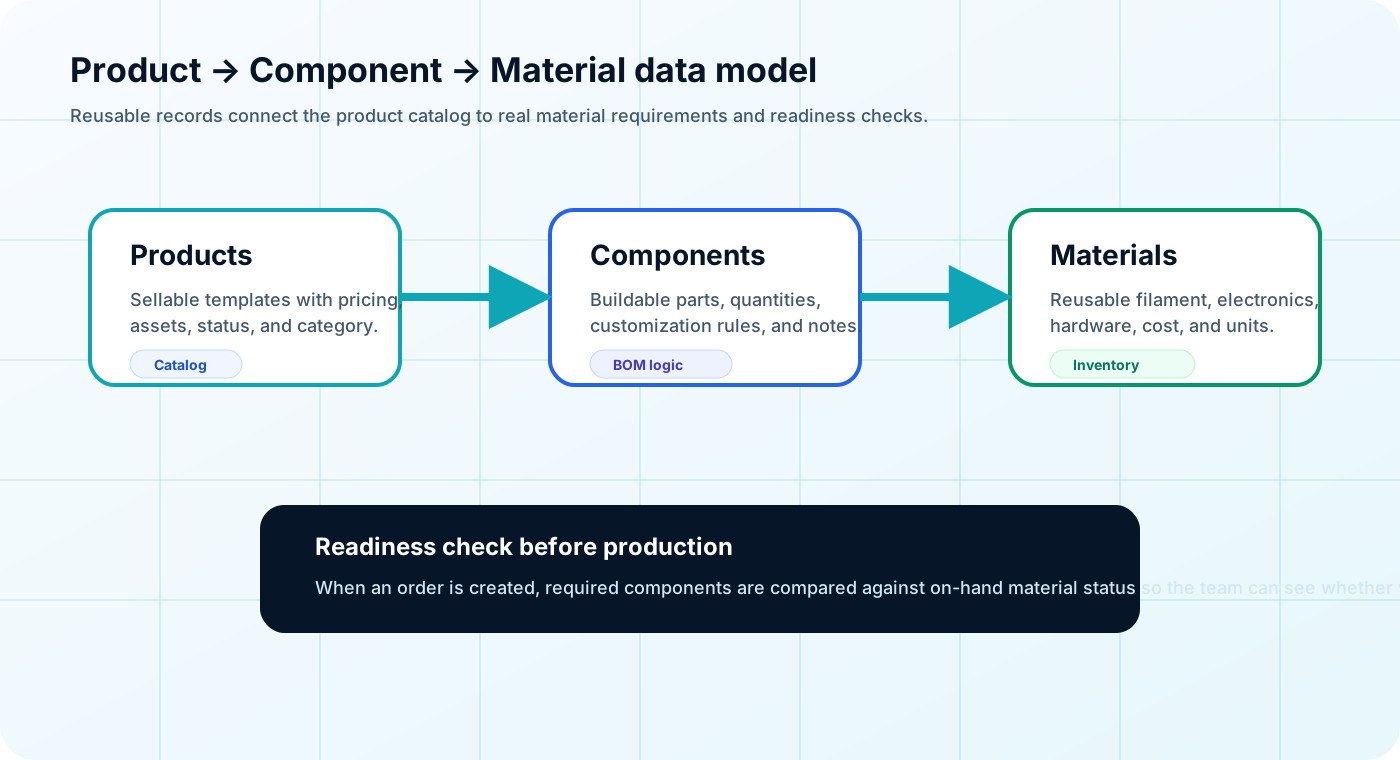
Each product keeps pricing, margin, images, files, category, and order creation context in one repeatable template.
Components break products into build steps or parts with quantities, instructions, custom values, notes, and status.
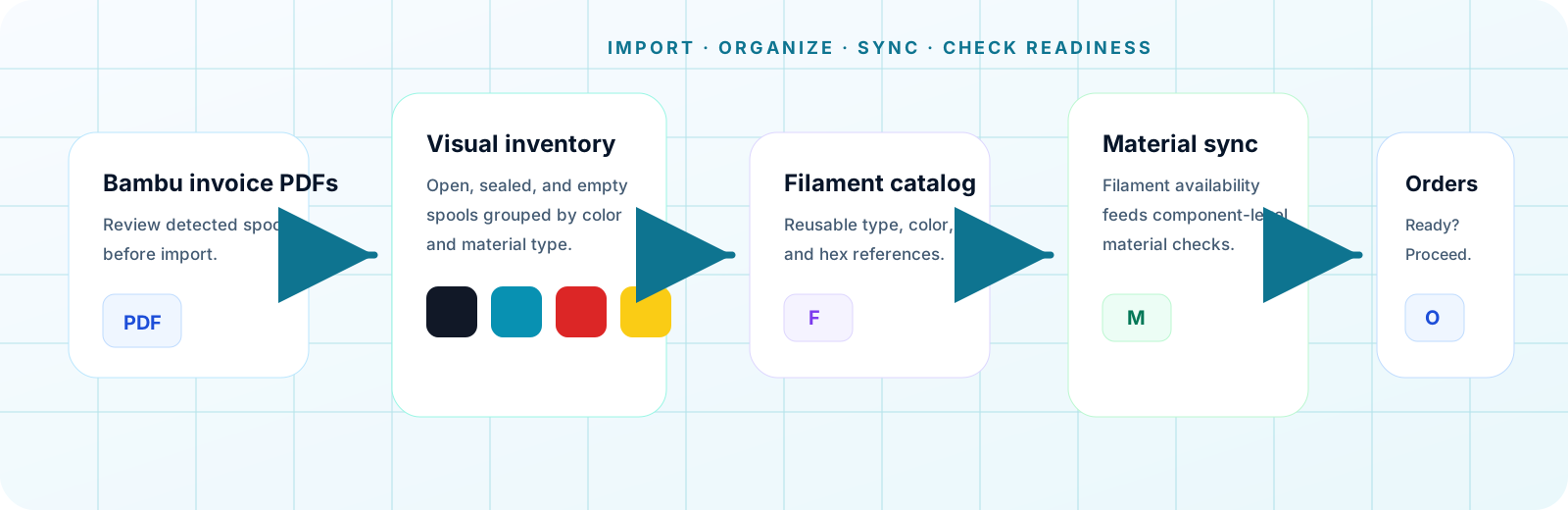
Materials represent reusable supplies and link to components so on-hand availability is confirmed before work proceeds.
Orders inherit the product and component structure, then capture customer details, priority, readiness, and progress.
Core production data flows through JC Product Manager.
Define what you sell and the repeatable templates for production.
Break products into build steps or parts with quantities and instructions.
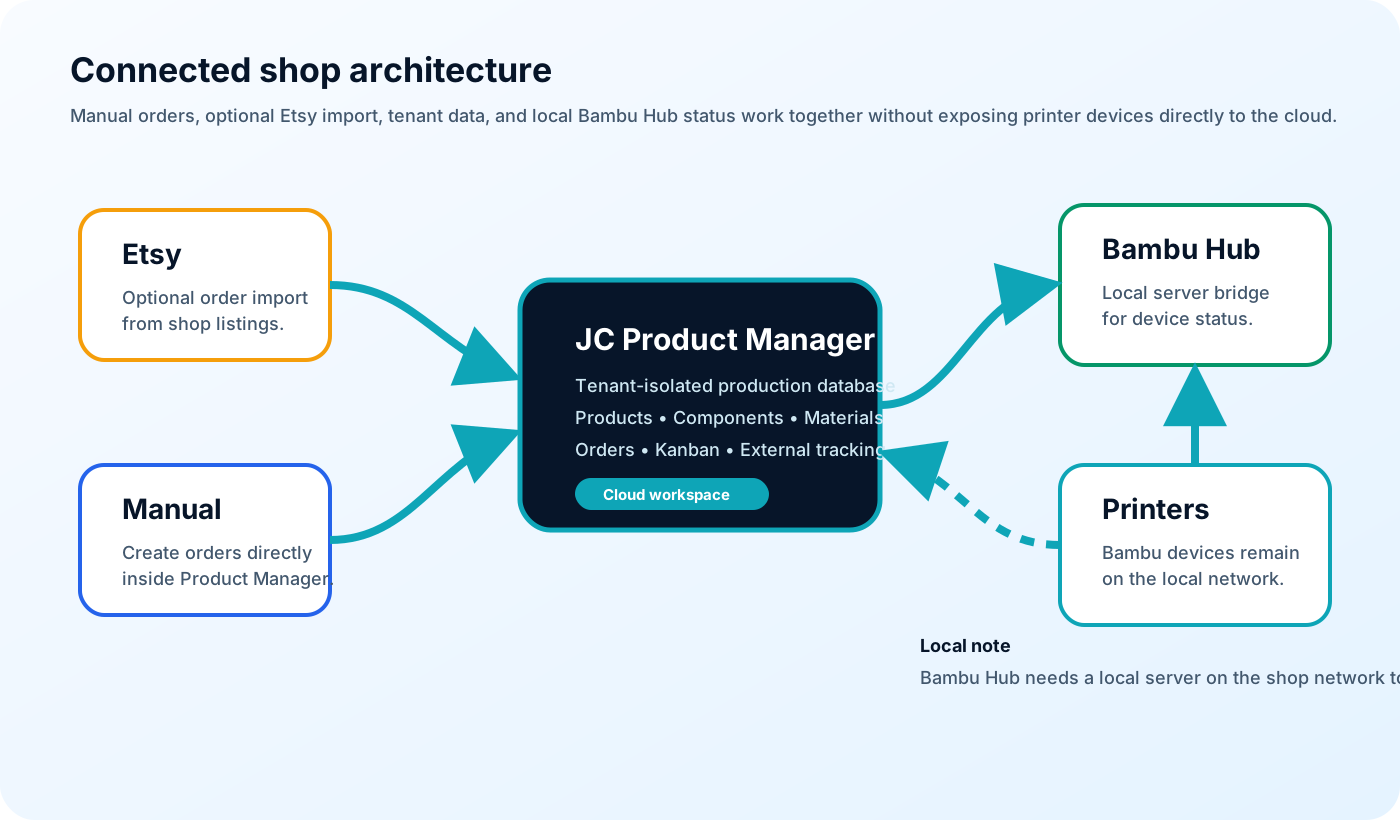
Tenant-isolated production database. Products • Components • Materials • Orders • Kanban • External tracking.
Link components to inventory and verify availability in real time.
Create the production packet and track progress end to end.
From order intake to delivery with real-time visibility.
Orders start from manual entry or the optional Etsy integration.
Required components and materials are checked against on-hand inventory.
Order components move through Ready to Build, In Production, QA / Assembly, and Completed.
Provides real-time local printer status, device assignment, camera frames, and branded timelapse capture.
Customers see live status, device names, and completed-order timelapse videos without admin access.
Customers can look up approved order details from the public tracking page while the internal team keeps production controls protected behind login.
Order Found: The public tracker confirms the order, stage, customer-safe status, and next step.
Customer Video: Completed orders can include branded timelapse media and device context.
The public experience is powered by the same operational data used by the shop.
The production packet is generated from the product, components, custom values, and required materials.
Components move through production and can be assigned to named devices with job context.
Captured media and device details can be added to the completed customer-facing order story.
The public experience is powered by the same operational data used by the shop.