
Product Manager
Version v17.0.17 2026-06-17

Filament Management

Track every spool from shelf to production.

The integrated filament workspace helps track spool counts, status, material type, color, and catalog definitions. That inventory can support Product Manager material readiness so print planning starts from real availability.

Count total, usable, open, sealed, and empty spools Visualize inventory by material type and color Maintain colors, hex values, and spool lifecycle status
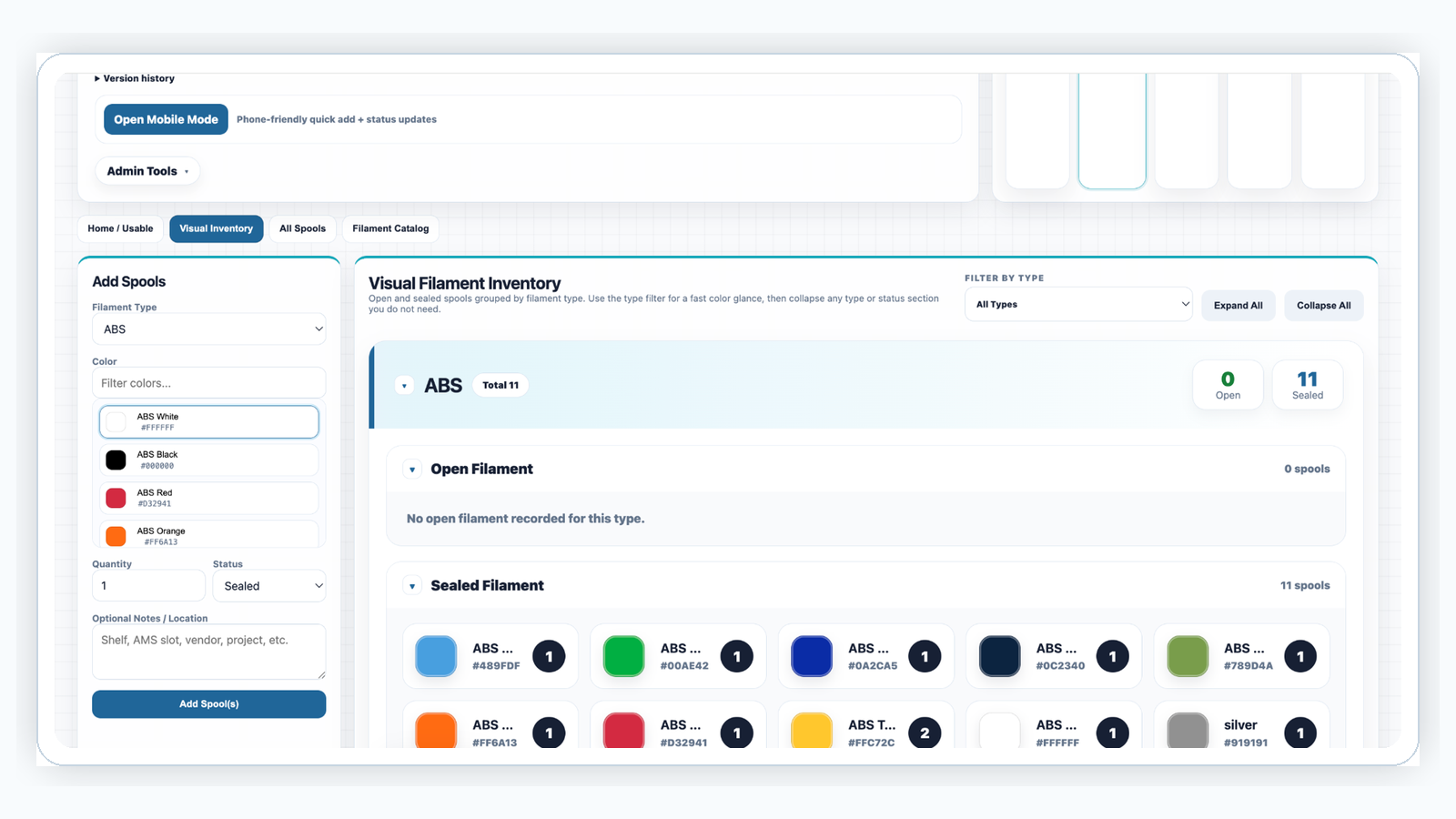
Visual Filament Inventory by type color and status
Visual inventory groups open and sealed spools by filament type and color.

Visual Inventory

See what is ready before the print starts.

Visual grouping helps operators quickly find the right material type and color. Open and sealed sections can be expanded or collapsed so the page stays useful even as the inventory library grows.

Why it matters: filament availability becomes visible at planning time instead of after a print is queued.
Filament Catalog type color and hex controls
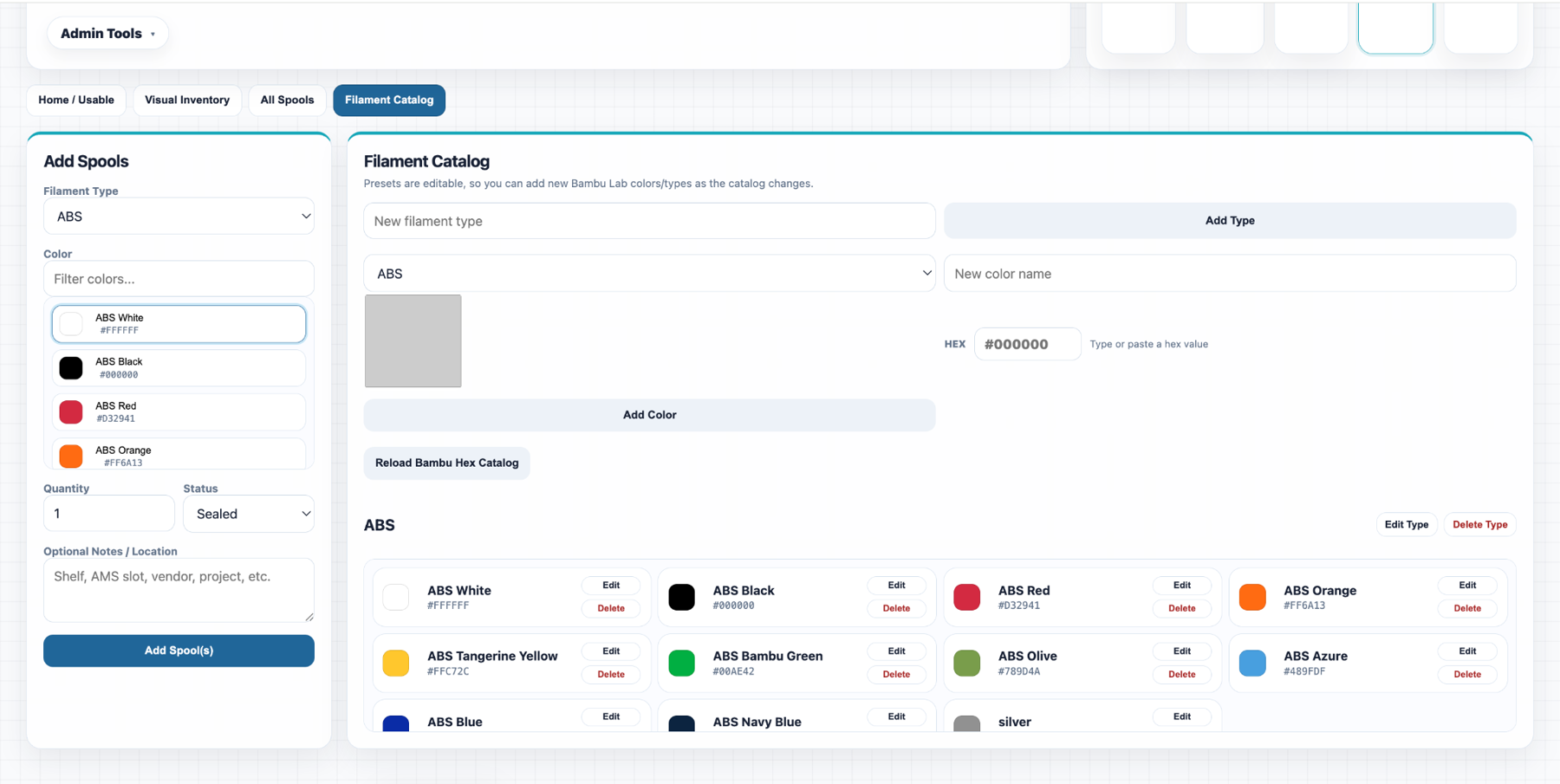
Catalog controls maintain filament types, colors, swatches, and hex values.

Filament Catalog

Keep the material library consistent.

Material types, colors, and hex values are editable so the catalog can grow with the shop. This keeps the visual inventory clean and supports future sync into production materials.

Why it matters: consistent naming and color data makes spools easier to filter, audit, and trust.

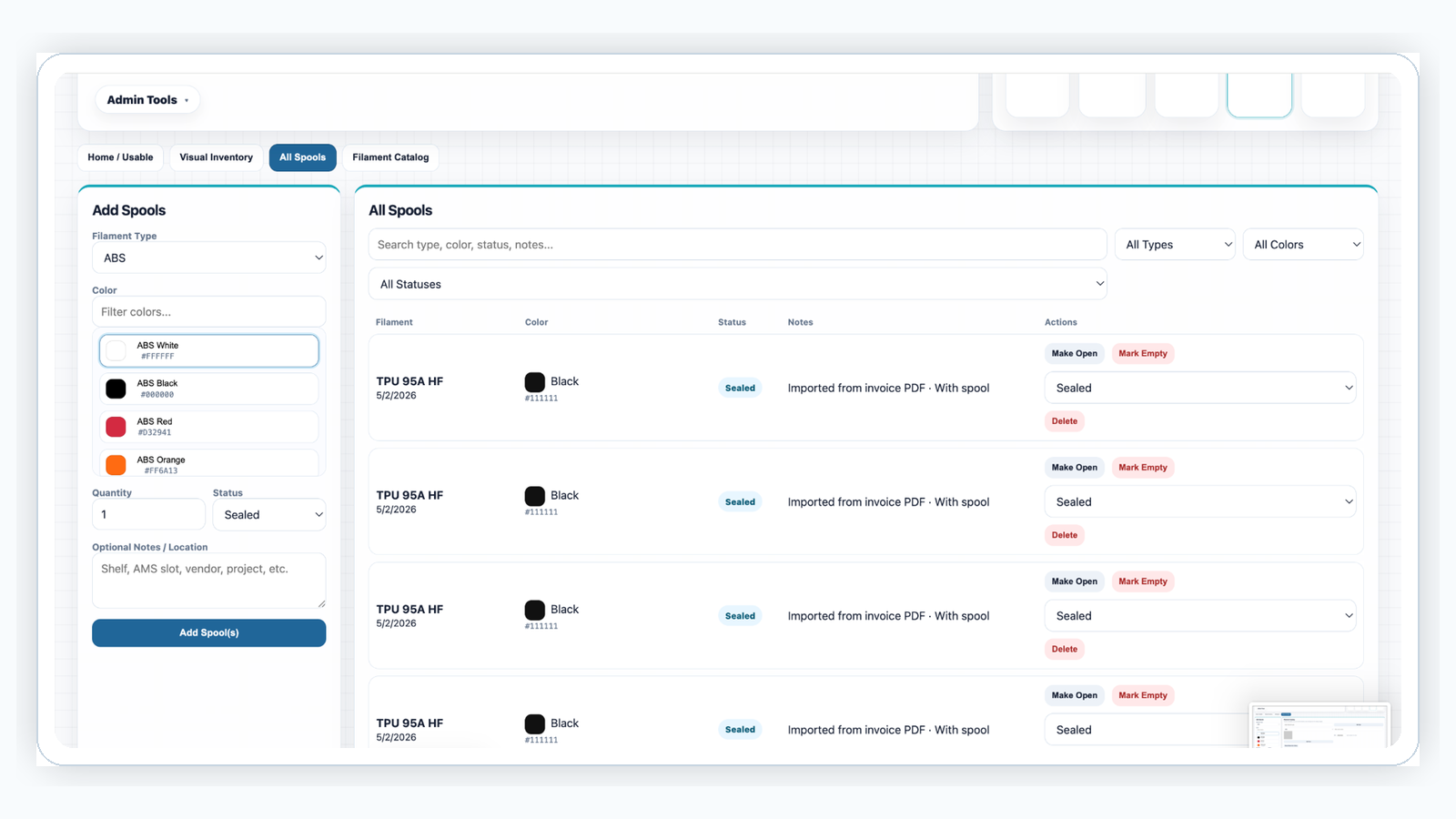
All spools searchable lifecycle table
All spools can be searched, filtered, opened, emptied, or deleted.

Spool Lifecycle

Manage each spool as it changes status.

Each spool can move from sealed to open to empty. Filters and search help find specific colors, material types, statuses, and notes when inventory needs to be audited or updated.

Why it matters: shelf reality and system inventory stay closer together.