Every feature connects to a real production moment.
The public site walks through the actual screens behind the workflow: customer tracking, branded timelapse video, Scarlet device status, materials, spare parts, filament, workbench development, production boards, Etsy competition scoring, and product catalog management.
Customer-facing tracking, device stories, and completed-order mediaOperations-facing material readiness, devices, and active productionInventory-facing filament, spare parts, and tracked materialsMarket-facing Etsy competitor scoring, keyword snapshots, and suppressible mismatches
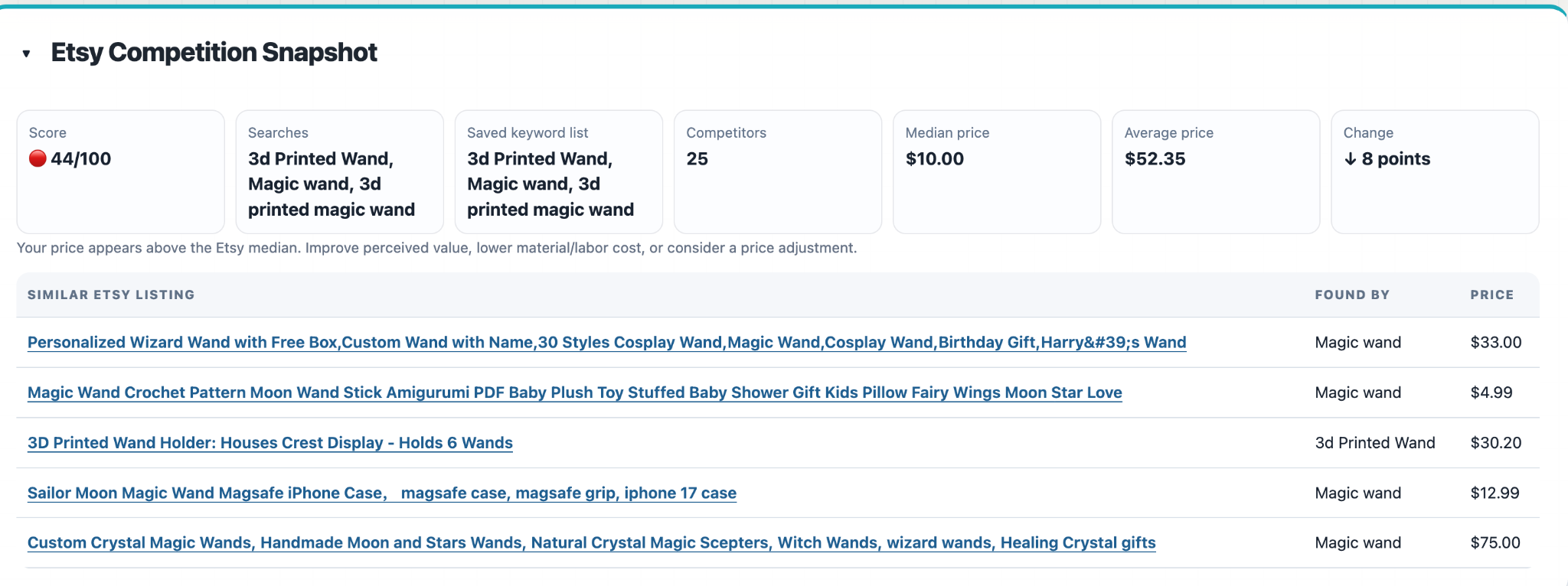
Etsy Competition Snapshot showing score, searches, competitor pricing, and similar listings
Etsy Competition Scoring
Review the Market Before Pricing Decisions
Each product can store Etsy search keywords as comma-separated full phrases. SnakeEyes searches those phrases, combines the matching listings, de-duplicates competitors, and calculates the product’s competition score from the resulting market snapshot.
The review table shows which search phrase found each listing. Admins can choose how many competitors to show, including all saved competitors when deeper review is needed.
Listings that do not actually match the product can be suppressed so they stop affecting future score calculations, then restored later if needed.
Why it matters: pricing conversations can use a visible competitor set instead of guessing from a one-time manual search.
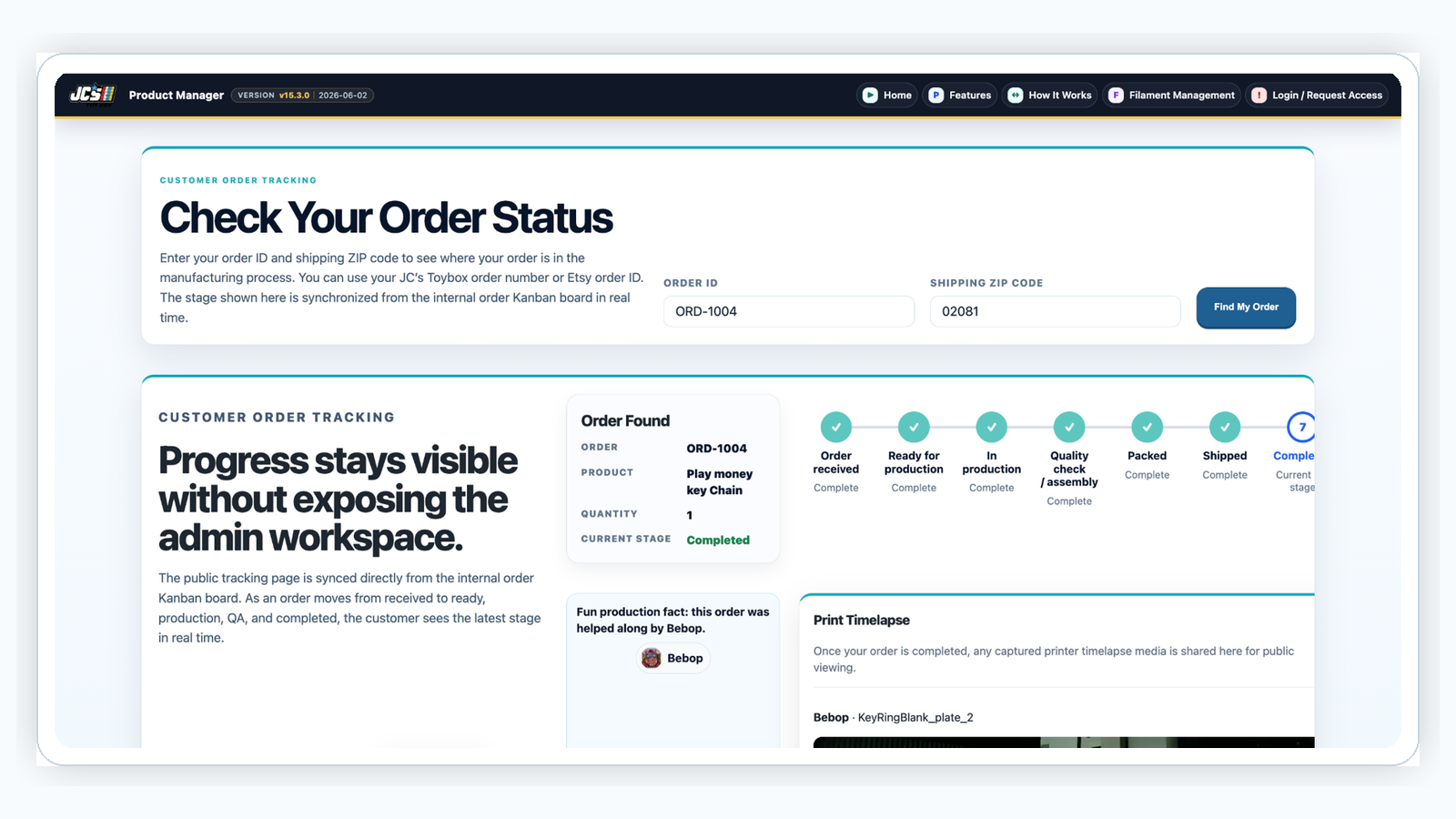
Public order tracking with completed status and timelapse media
Customer Engagement
Show Customers Their Order Being Made
The public order tracking page gives customers a more meaningful experience than a simple status message. They can enter a JC’s Toybox order number or Etsy order ID with their ZIP code and follow the order through the production lifecycle.
When the order is completed, captured print media can be shown directly on the tracking page. The customer sees progress, sees which named device helped create the item, and can watch the timelapse video.
Why it matters: a completed order becomes a customer engagement moment, not just a transaction closeout.
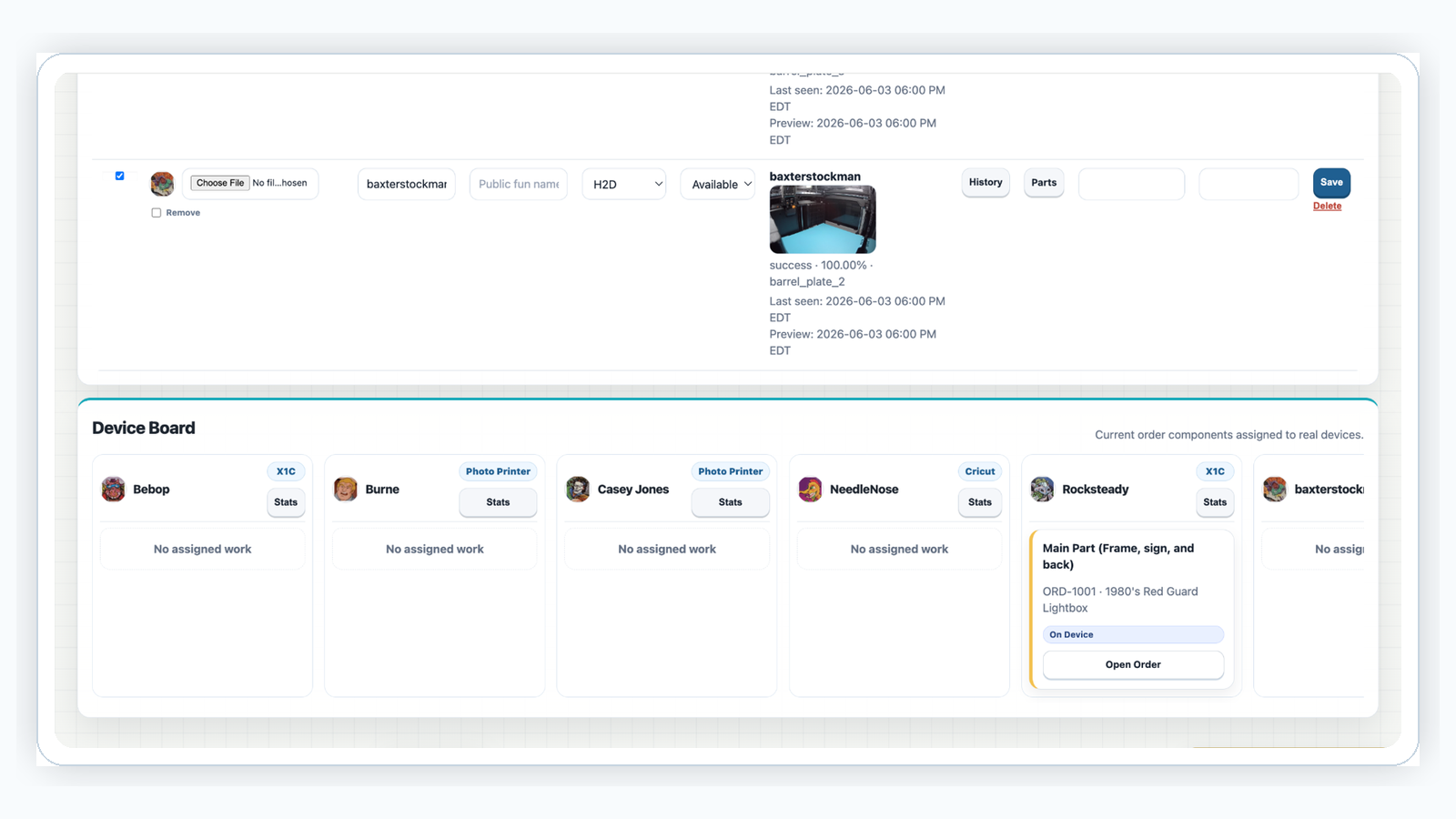
Devices can be named, given icons, mapped to generic production requirements, and linked to Scarlet / Bambu Hub status. Live previews and job state help the shop understand what each device is doing.
Because devices are assigned to order components, SnakeEyes can connect the device name to production fun facts and timelapse association.
Why it matters: the device fleet becomes both an operational asset and part of the customer story.
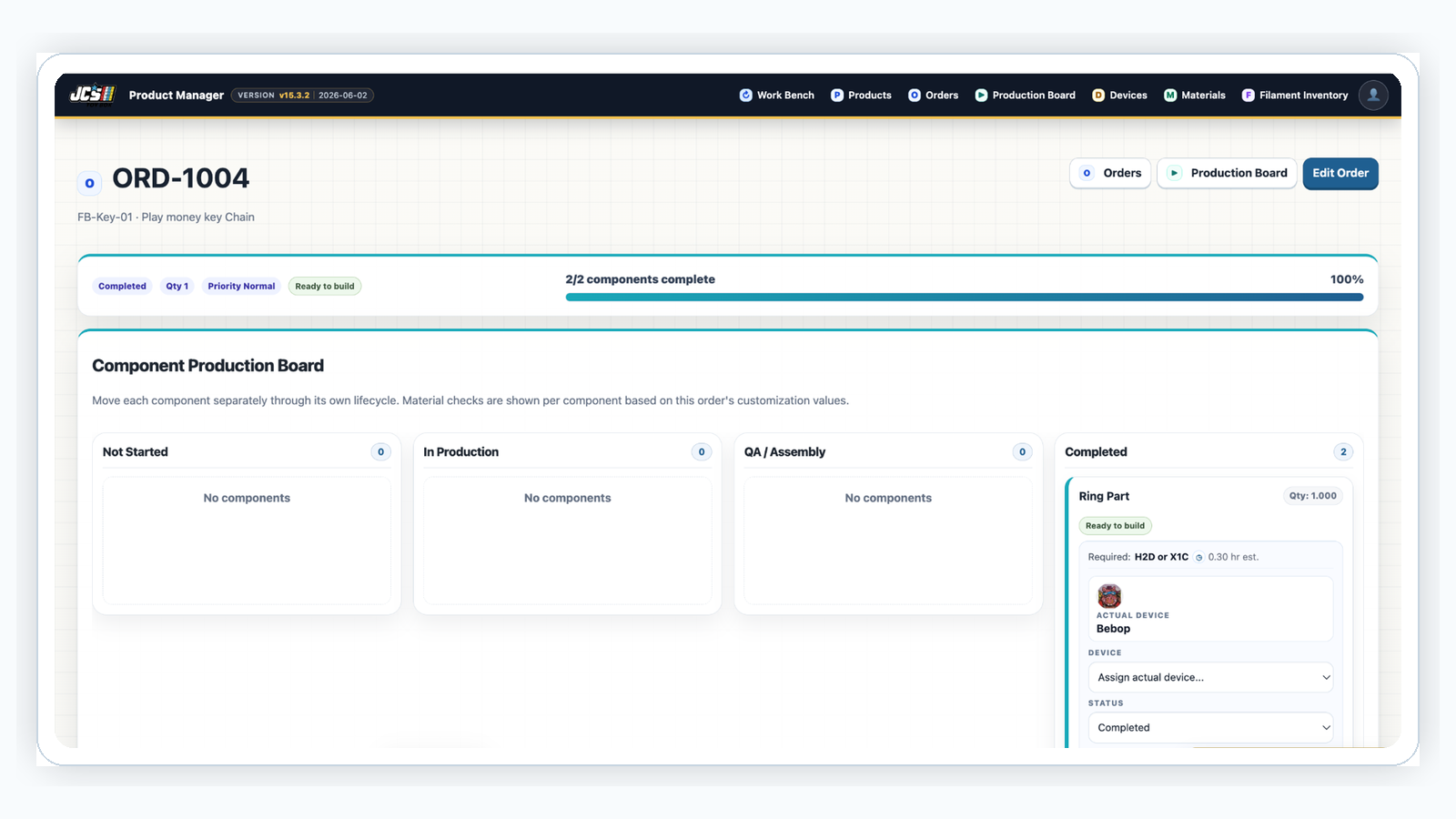
Production board with order components and active work stages
Production Boards
Move Components Through the Build
Orders inherit product components and move through stages such as not started, in production, QA / assembly, and completed. Each component can be assigned to an actual device, making it clear where the work is happening.
The component board, order progress bar, and active device queues help the team see what is blocked, what is moving, and what is ready for the next step.
Why it matters: complex orders stay organized even when different parts run on different devices.
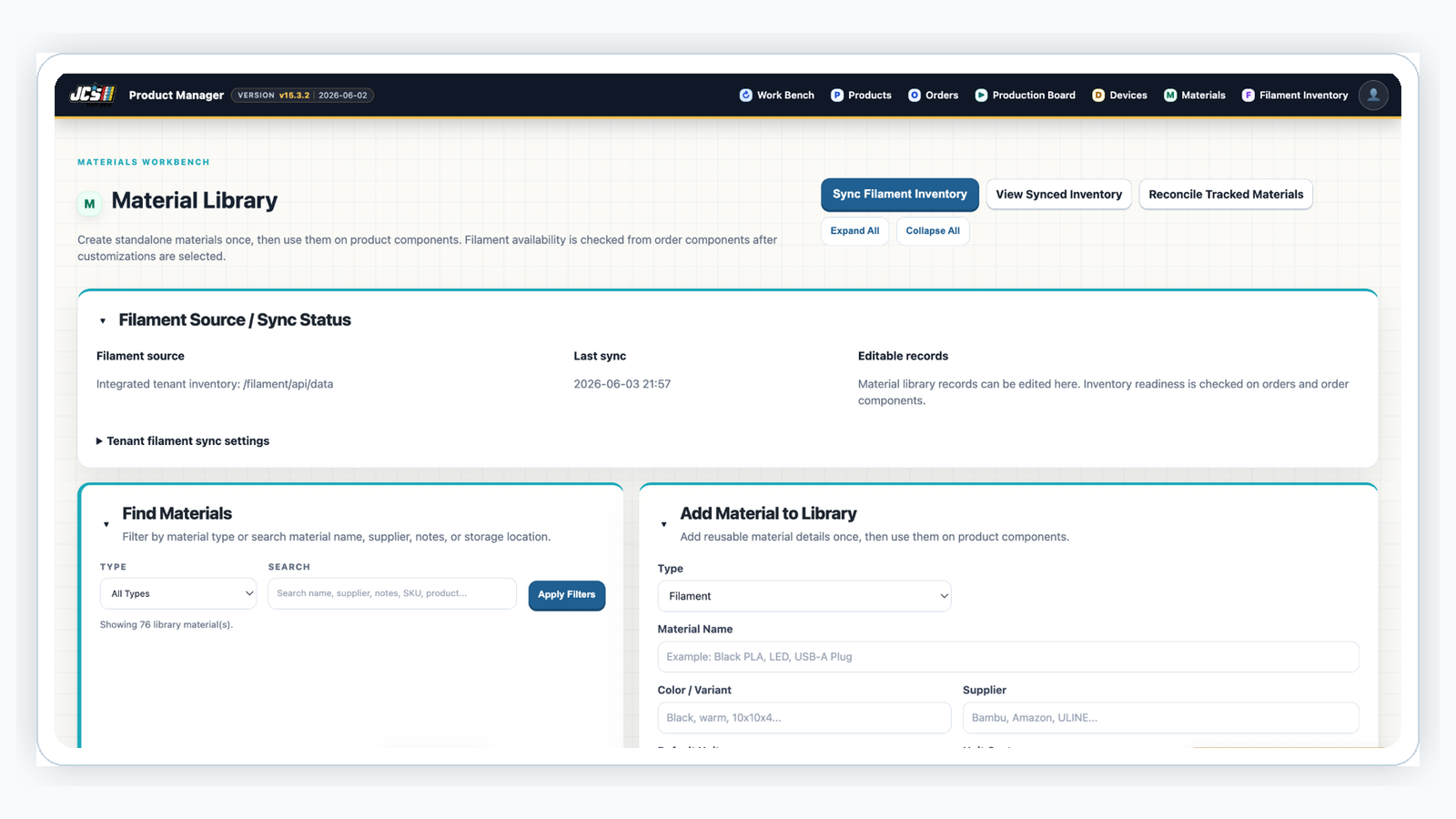
Materials management page
Materials Management
Plan Orders Around Real Inventory
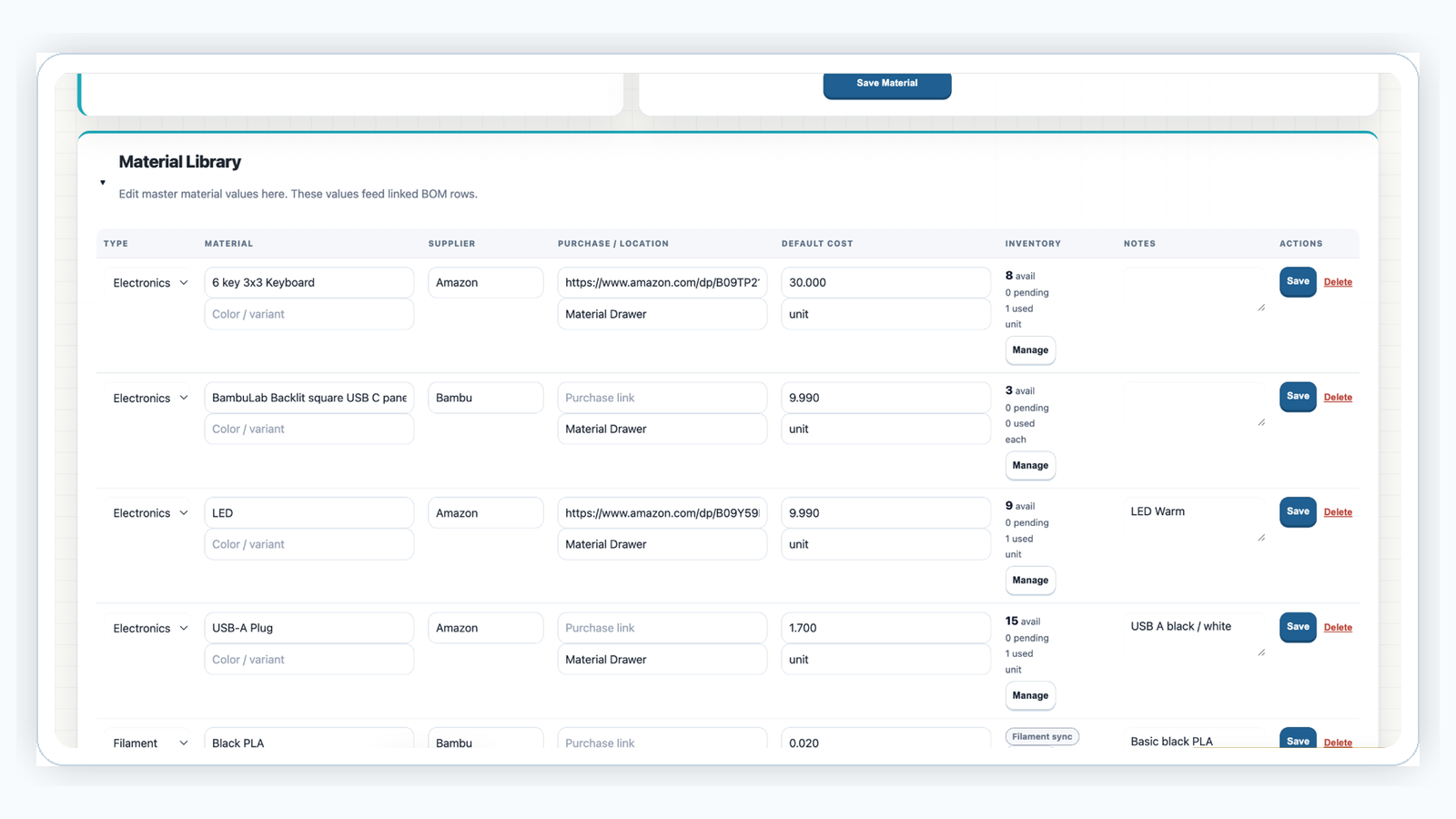
Materials can be created once, linked to product components, and tracked through available, pending, used, supplier, cost, location, unit, reorder point, and notes.
This lets order readiness depend on the material library instead of a manual shelf check. Material reconciliation provides a focused place for correcting counts and keeping inventory aligned with production activity.
Why it matters: the system can tell you whether an order is ready to build before work starts.
Inventory workflow showing material lifecycle movement
Inventory Workflow
Reserve, Consume, and Return Stock
Tracked material follows the order lifecycle. Material can move into pending use when an order is created, move to used when the order is completed, and return to availability when an order is canceled or deleted.
This keeps production planning and inventory state from drifting apart over time.
Why it matters: canceled or changed orders do not quietly trap material in the wrong status.
Spare parts and maintenance inventory by device
Spare Parts
Track Maintenance Inventory by Device
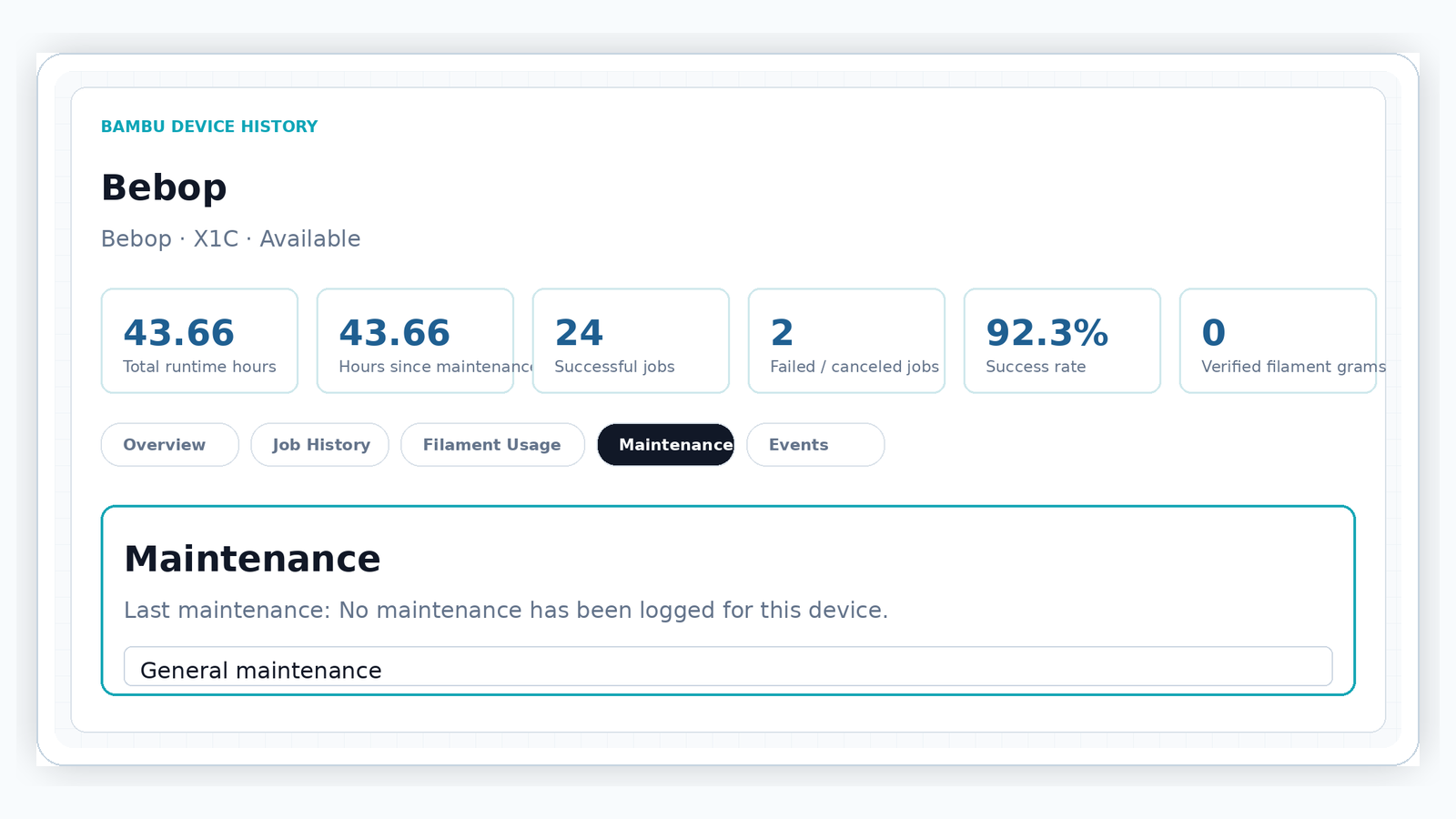
Spare parts and maintenance tracking belong close to the device they support. Device history gives the shop a maintenance-oriented view of runtime, successful jobs, failed jobs, success rate, and service notes.
This makes it easier to understand when a printer, cutter, or workstation may need attention before production is impacted.
Why it matters: shop equipment gets its own maintenance and parts workflow instead of being hidden in generic materials.
Filament inventory grouped by type, color, and status
Filament Management
See Spools by Type, Color, and Status
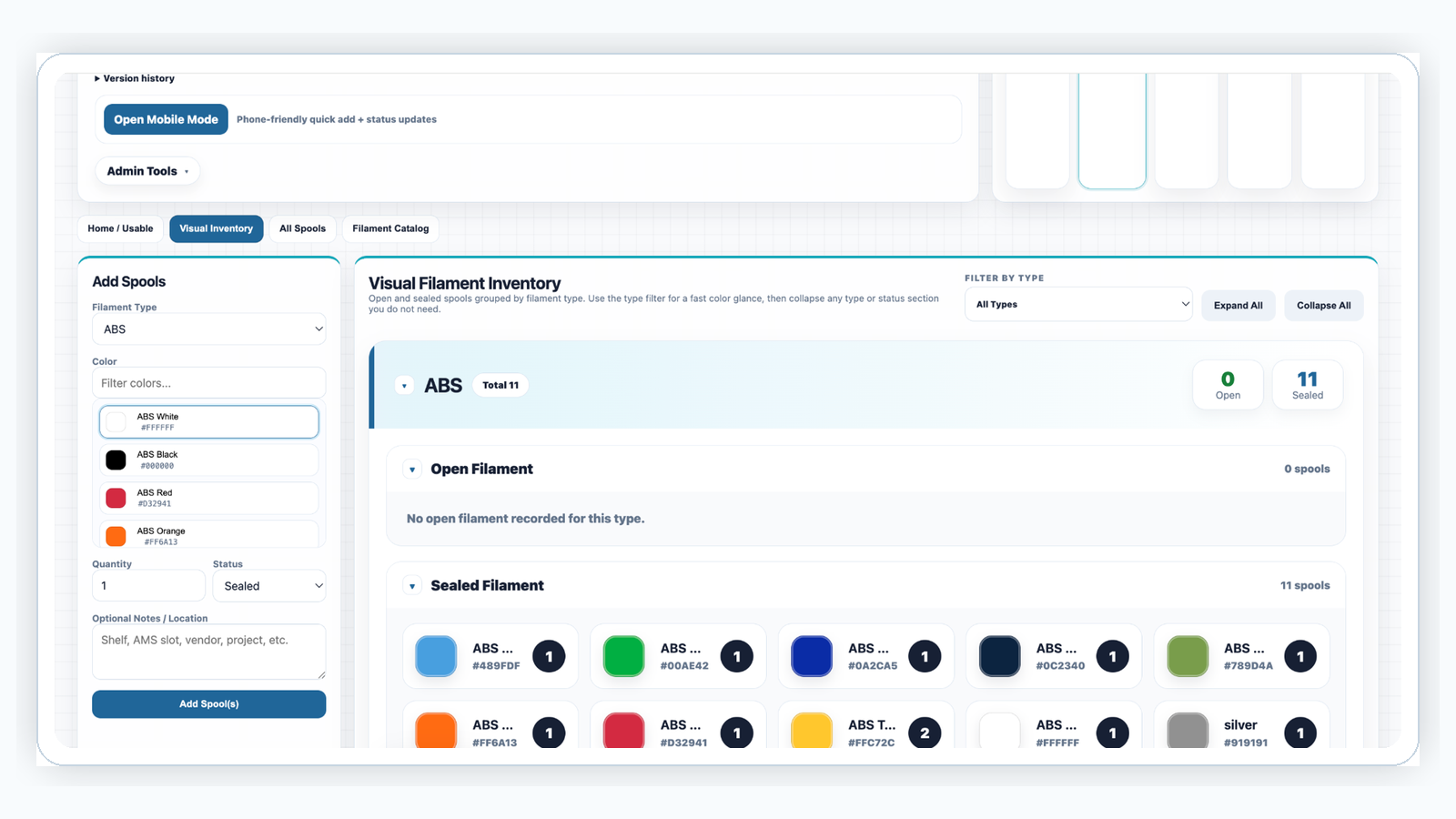
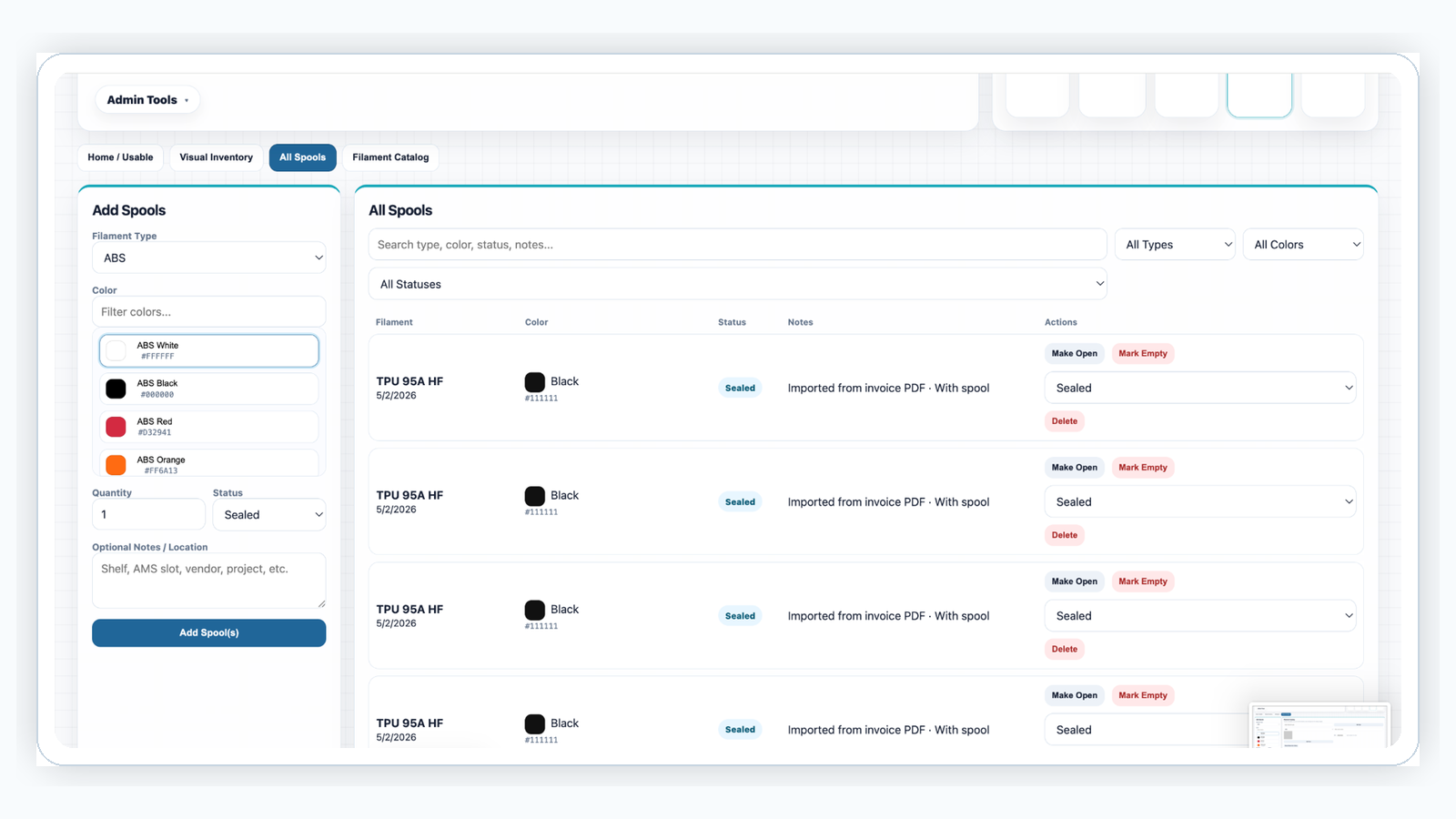
The filament site tracks total, usable, open, sealed, and empty spool counts. Visual inventory groups spools by filament type and color, while the all-spools view supports searching, filtering, and lifecycle actions.
Filament data can sync into Product Manager so materials readiness reflects real spool availability.
Why it matters: filament planning becomes a production readiness input, not an after-the-fact discovery.
Filament catalog with material types, colors, and hex values
Filament Catalog
Keep the Color Library Clean
The filament catalog provides editable material types, colors, and hex values. As new Bambu colors or shop-specific naming conventions appear, the catalog can be updated so inventory remains searchable and visually useful.
Why it matters: good catalog data makes inventory faster to find and easier to sync into production planning.
Workbench page for prototype development and iterations
Workbench
Develop Ideas Before They Become Products
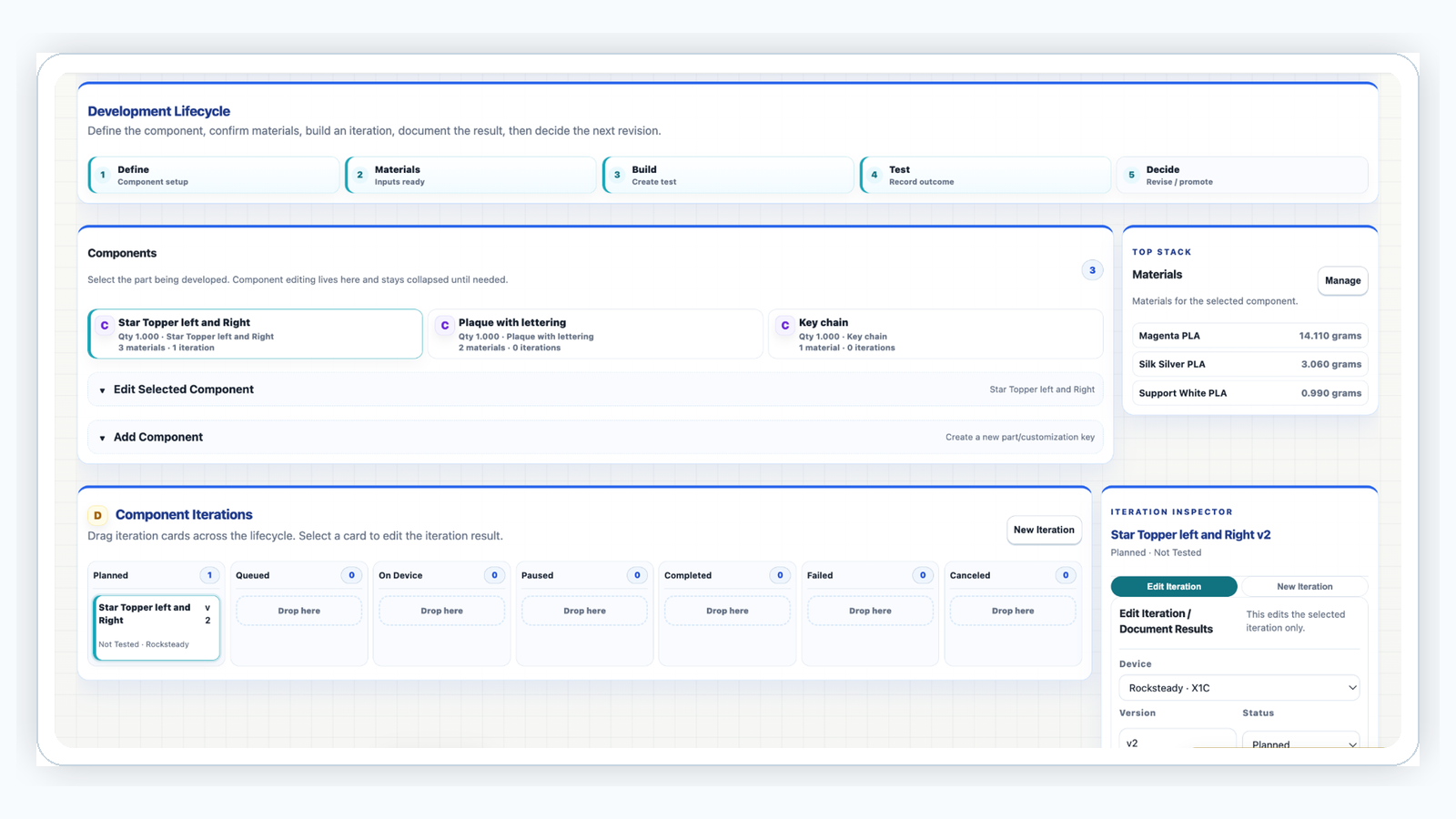
The workbench gives early concepts a structured place to mature. Ideas can track components, material links, device iterations, build settings, test outcomes, notes, and results.
When an idea is ready, successful work can be promoted into a production product without losing the learning captured during development.
Why it matters: prototype history becomes reusable production knowledge.
Product catalog page with product details and views
Product Catalog
Organize Repeatable Products
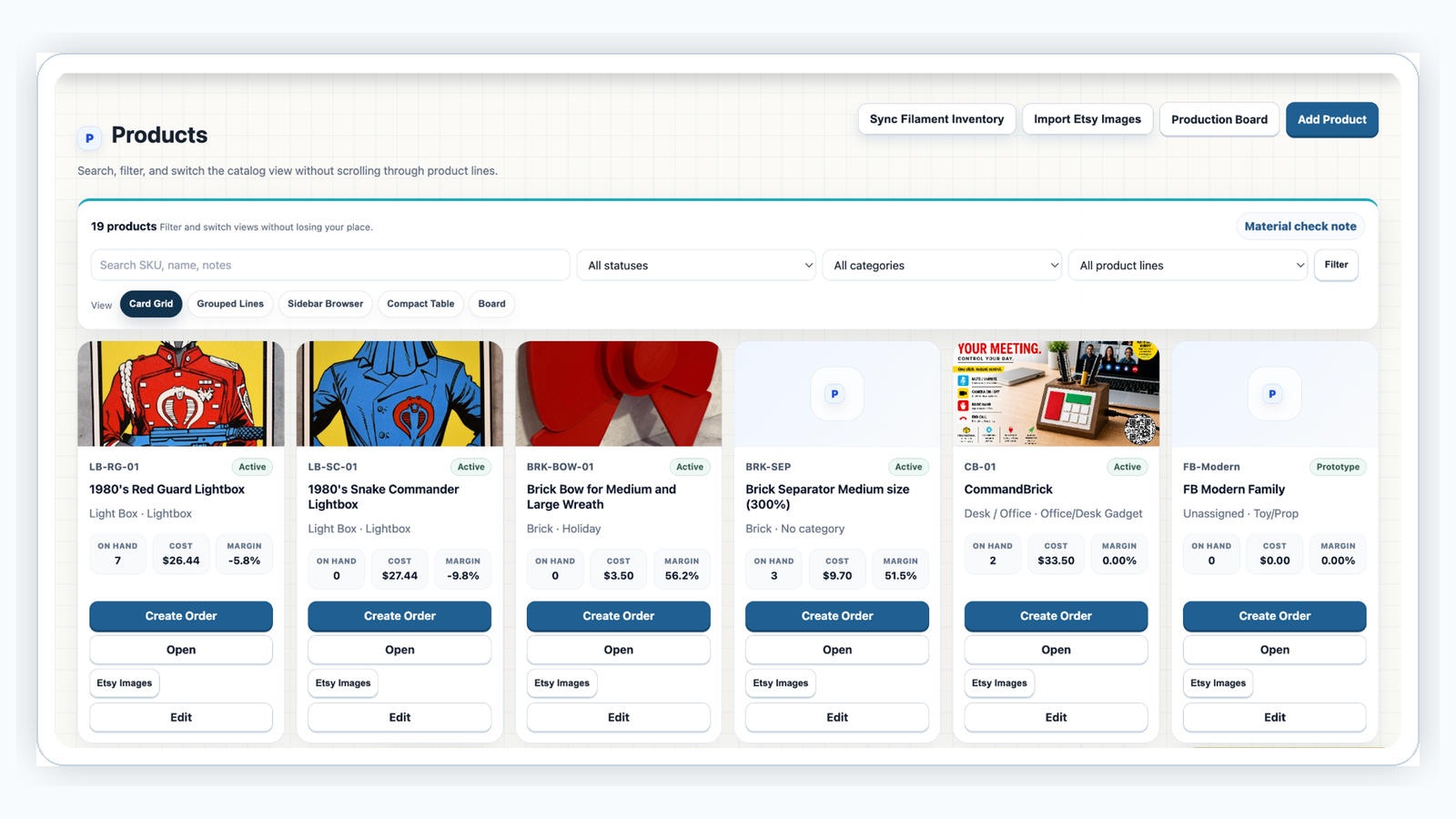
Products store catalog details, images, product lines, categories, inventory visibility, cost/margin context, and order creation actions.
Multiple catalog views make it easier to search, group, and manage products as the shop grows.
Why it matters: repeatable product structure keeps order creation consistent and reduces setup time.
Ready to work?
Authorized users can sign in, and new shops can request a tenant for review.